


Zoho Books
Zoho Books is an online accounting software that helps businesses manage invoices, expenses, banking, and financial reports easily in one secure platform.
Course Modules
- What is Zoho Books? Benefits & Features
- Cloud accounting vs Traditional
- Navigating the Zoho Books Dashboard & UI
- Understanding essential accounting terminology (Assets, Liabilities, Equity, Revenue, Expenses)
- The Double-Entry System (Overview)
- Creating a new organization in Zoho Books
- Company Profile & Financial Year Configuration
- Managing Currencies & Exchange Rates
- User Management: Roles, Permissions, & Collaboration
- Taxes: Setting up Tax Rates & Tax Groups
- Payment Gateways & Online Payments Integration
- Understanding the Chart of Accounts (CoA)
- Creating, Editing, & Deleting Accounts
- Account Types & Their Significance
- Importing a Chart of Accounts
- Entering Opening Balances for Assets, Liabilities, & Equity
- Adding & Importing Customers and Vendors
- Contact Details: Billing or Shipping Addresses, Currencies, Taxability
- Customer & Vendor Portals Configuration
- Managing Contact Groups & Custom Fields
- Understanding Customer & Vendor Balance Summaries
- Setting Up Products & Services (Inventory vs. Non-Inventory Items)
- Item Details: SKUs, Sales & Purchase Information, Preferred Vendors
- Managing Units of Measurement & Price Lists
- Inventory Adjustments (Add Stock, Reduce Stock, Transfer Stock)
- Stock Reorder Points & Preferred Vendors
- Enabling & Managing Product Bundles (Composite Items)
- Creating Estimates or Quotes & Converting to Invoices
- Sales Orders: Usage & Workflow
- Invoicing: Standard, Recurring, & Retainer Invoices
- Recording Customer Payments & Automated Payment Allocation
- Handling Credit Notes & Refunds
- Managing Customer Outstanding Balances & Dunning Management
- Recording Expenses: Categorization & Billable Expenses
- Managing Bills: Creating, Recurring, & Vendor Credits (Debit Notes)
- Purchase Orders: Creation, Receiving Items, & Conversion to Bills
- Paying Bills & Vendor Payments
- Vendor Balances & Unbilled Expenses
- Connecting Bank Accounts & Credit Cards (Bank Feeds)
- Manual Bank Statement Import
- Categorizing Bank Transactions & Creating Bank Rules
- Matching Transactions & Reconciliation Process
- Understanding Reconciliation Reports & Discrepancies
- Managing Petty Cash & Cash In or Out Transactions
- Setting up Projects & Tasks
- Logging Time: Manual & Timer-based Time Sheets
- Billing Projects: Fixed Cost, Project Hours, Task Hours, Staff Hours
- Retainer Invoices & Applying against Projects or Invoices
- Overview of Zoho Books Reports: Financial, Sales, Purchase, Inventory, Tax, Timesheet etc.
- Key Financial Statements: Profit & Loss, Balance Sheet, Cash Flow Statement
- Customizing Reports: Filters, Columns, & Grouping
- Scheduling & Exporting Reports (PDF, CSV, XLS)
- Understanding Report Drills & Audit Trails
- Sales Tax or VAT or GST Reports & Compliance
- Journal Entries: Manual Adjustments & Corrections
- Recurring Transactions (Expenses, Bills, Journal Entries)
- Custom Fields & Custom Templates (Invoices, Estimates)
- Workflows & Approvals (e.g., invoice approval, payment reminders)
- Budgeting (if applicable to Zoho Books version)
- Attachments & Documents Upload
- Integrating with Other Zoho Apps (Zoho CRM, Zoho Inventory, Zoho Expense, Zoho Payroll, Zoho Analytics)
- Third-Party Integrations (e.g., Payment Gateways, POS systems)
- Zoho Books API & Webhooks Overview
- Managing User Access & Security Settings
- Activity Logs & Audit Trail
- Data Backup & Exporting Data
- Understanding Zoho Books Pricing & Plans
- Troubleshooting Common Issues & Error Resolution
- Year-End Procedures & Financial Review
- Setting up a Simulated Business from Scratch (Scenario-based exercise)
- Daily Operations: Sales, Purchases, Banking, Payroll (simulated), Reconciliation
- Generating & Analyzing Key Financial Reports
- Presenting Insights & Recommendations based on Financial Data
What We Teach: Practical Case Studies & Assignments
- Basic Accounting: Understand basic accounting & pass entries based on Practical/US Accounting rules.
- Tally Setup: Create companies, manage data, and backup/restore.
- Voucher Entries: Record transactions for the current financial year in Tally.
- Method of Accounting: Apply accounting principles in Tally.
- Ledger Finalization: Reconcile and finalize ledger balances in Tally.
- Bank Reconciliation: Prepare Bank Reconciliation Statements (BRS) in Tally.
Exam Pattern
In order to complete the course and download the certificate, you will need to complete the course.
Course completion will be considered when you have completed the following:
- Answered all of the Assessments and MCQs that come at random intervals during the course.
- Complete all of the Experiments, Case Studies and Assignments.
- Take the Final test and score at least 50% in it.
Your final marks will be evaluated as follows:
- 20% – Course MCQs
- 20% – Simulation Completion
- 60% – Final MCQ Exam (20 Questions; 30 Minutes)
Once you have completed it all, you will be provided with marks and a ‘Grade’ and you will be able to download the certificate.
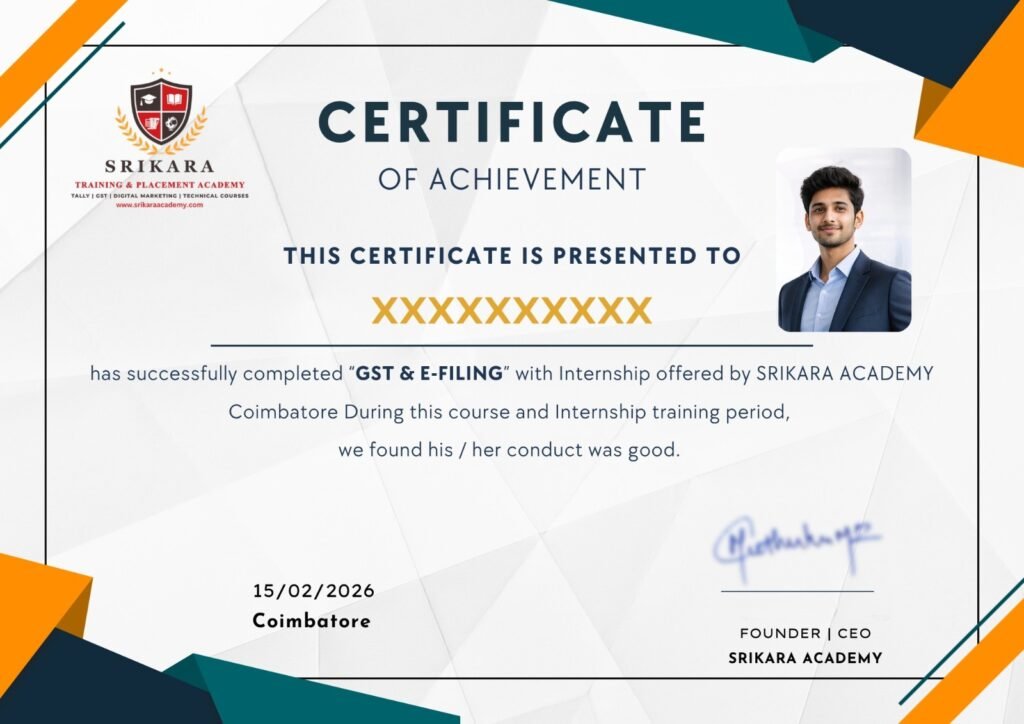
Get Certified in Our Practical Courses
Enhance your skills and boost your career prospects with our comprehensive range of courses. Get certified today!
- Industry-recognized certification upon completion.
- Users can download certificate after completing the final course test.

17 Chapters
18 Case Studies
21 Assessments
10+ Recordings
00 MicroVideos
15 Languages